One day at a time
See today’s reminders, search history and complete tasks from a widget.
- Repeating reminders and local notifications
- Pet evolution, adult forms and a hall of fame
- CSV export and optional iCloud sync
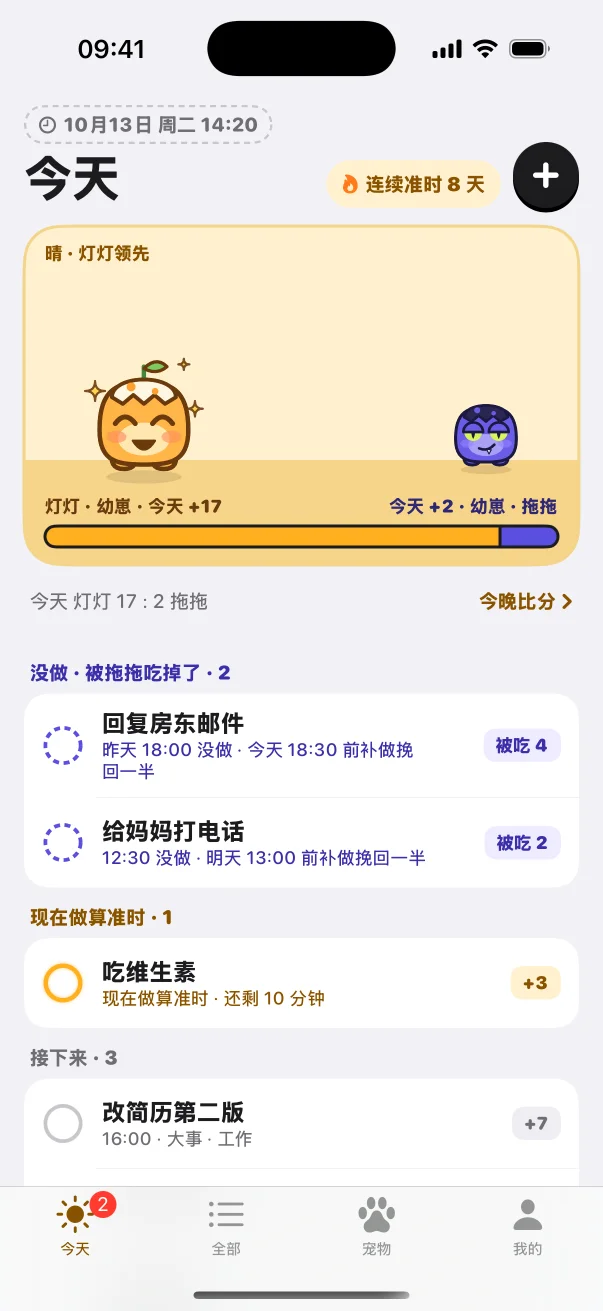
Pawmise · reminders & pets for iPhone
Finish a reminder and give your pet a little light. Leave it past its window and its mischievous companion grows. Daily choices shape them both.
Give a task a time, category and repeat schedule.
Complete it within its window to grow your good pet.
Keep the record of what you finished and what you missed.
Reminders and growth, together.
See today’s reminders, search history and complete tasks from a widget.
Core reminders and pet growth are free.
Free features
Pro
Purchase options
Local App Store prices apply in the released app. Apple manages subscriptions; cancel in Settings. TestFlight purchases do not charge you.
Pawmise is being tested with TestFlight and is not publicly available on the App Store yet. Install through Apple’s TestFlight after receiving an invitation. The app interface is currently Simplified Chinese.
Check notification permission, Focus and Scheduled Summary in iOS settings. Pawmise schedules advance and late reminders; iOS controls how they are presented.
Use the Apple account that purchased Pro and tap Restore Purchases in My or the Pro screen. Cancelling restoration does not remove existing access. If offline, try again when connected.
Requires iOS 17 or later. Currently in TestFlight testing.